SVG is ideal for logos and icons because it never goes blurry. But plenty of places still refuse it: email clients, some social sites, slide decks, printers and upload forms. When that happens you need a PNG, and the one decision that matters is how big to make it.
SVG and PNG in one minute
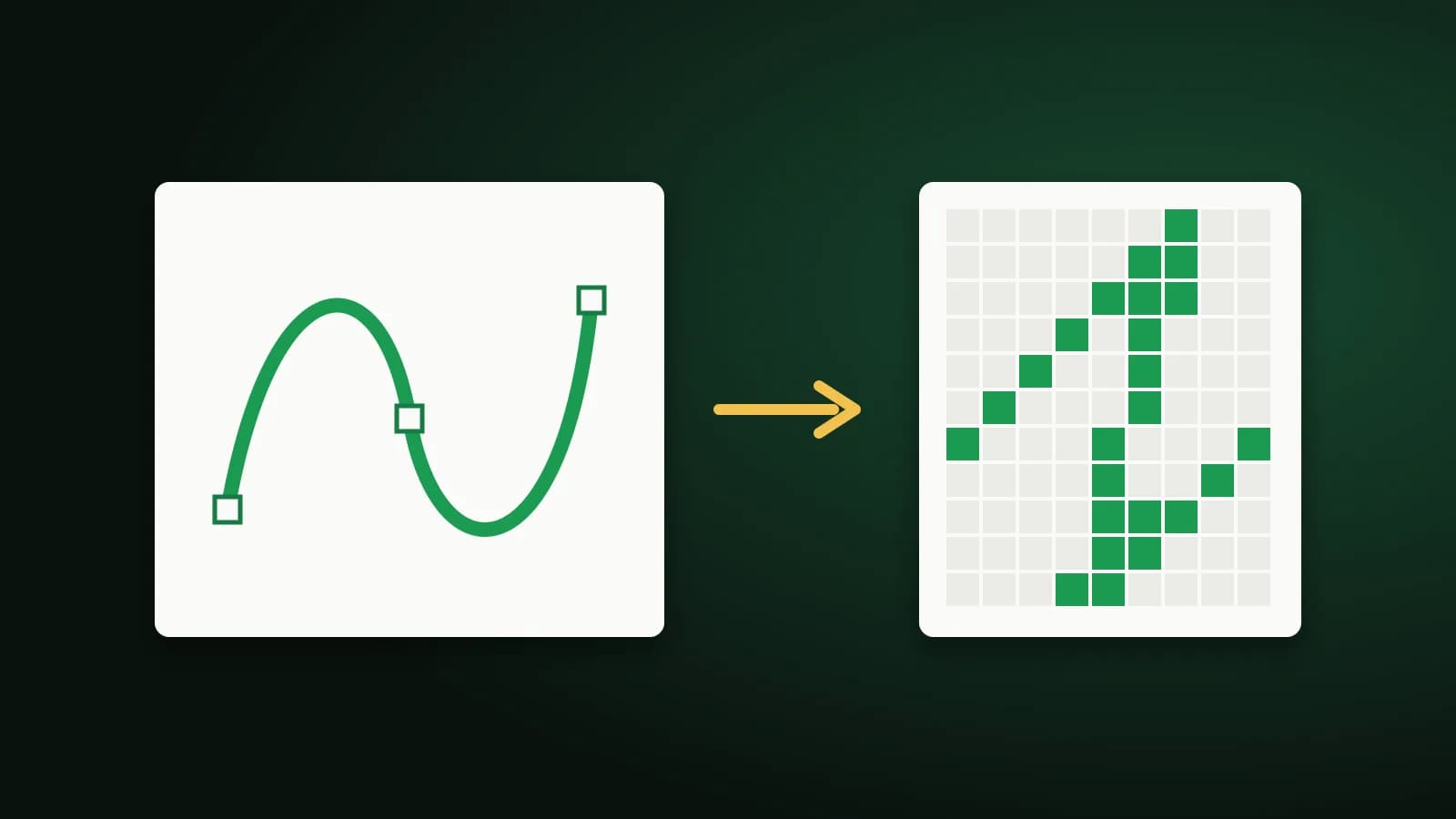
- SVG describes shapes with maths. It can be scaled to any size with no loss and is usually tiny.
- PNG is a grid of pixels. It has a fixed size, supports transparency and opens almost everywhere.
Converting SVG to PNG fixes the picture at one resolution. You can always make a bigger PNG from the SVG later, but you cannot make a small PNG sharp by enlarging it, so keep the SVG.
Choose the output size first
The PNG's size is the SVG's own size multiplied by a scale. Think about where it will be used:
- 1x matches the SVG's own size. Fine for small on-screen icons.
- 2x keeps things crisp on high-density screens and is a good default for logos.
- 3x and 4x suit large banners, presentations and print.
- A custom size is useful when a form states exact pixel dimensions.
When in doubt, go larger. It is easy to shrink a PNG and impossible to sharpen one.
Convert an SVG to PNG
- Open SVG to PNG and add one or more .svg files.
- Choose the scale or a custom size.
- Choose the background: transparent, white, black or a colour of your choice.
- Download each PNG, or all of them in one ZIP.
The conversion happens in your browser, so your files are not uploaded.
Transparency or a solid background?
A transparent PNG lets the picture sit on any colour, which is what you usually want for a logo. Some places, however, fill transparent areas with black, which can make a dark logo disappear. If you are unsure, export a version on white as well.
When the PNG does not look like the SVG
- Missing fonts. If an SVG uses a font that is not embedded, the browser may substitute another. Convert the text to outlines in your design tool before exporting the SVG.
- Linked images. An SVG that points to an external picture may show a blank area. Embed the picture in the SVG instead.
- A tiny result. An SVG without width and height can come out small. Choose a larger scale or a custom size.
Frequently asked questions
Does converting SVG to PNG lose quality?
The PNG is as sharp as the size you choose. It is a fixed-resolution copy, so pick a size large enough for its use.
Can I convert many SVGs at once?
Yes. Add several files and download them together as a ZIP.
Should I replace the SVG on my website?
Usually not. SVG is the better choice for web logos and icons. Use PNG only where SVG is not accepted.
The short version
Decide the size first, keep the SVG as your master copy, and choose a transparent background unless the destination needs a solid one.